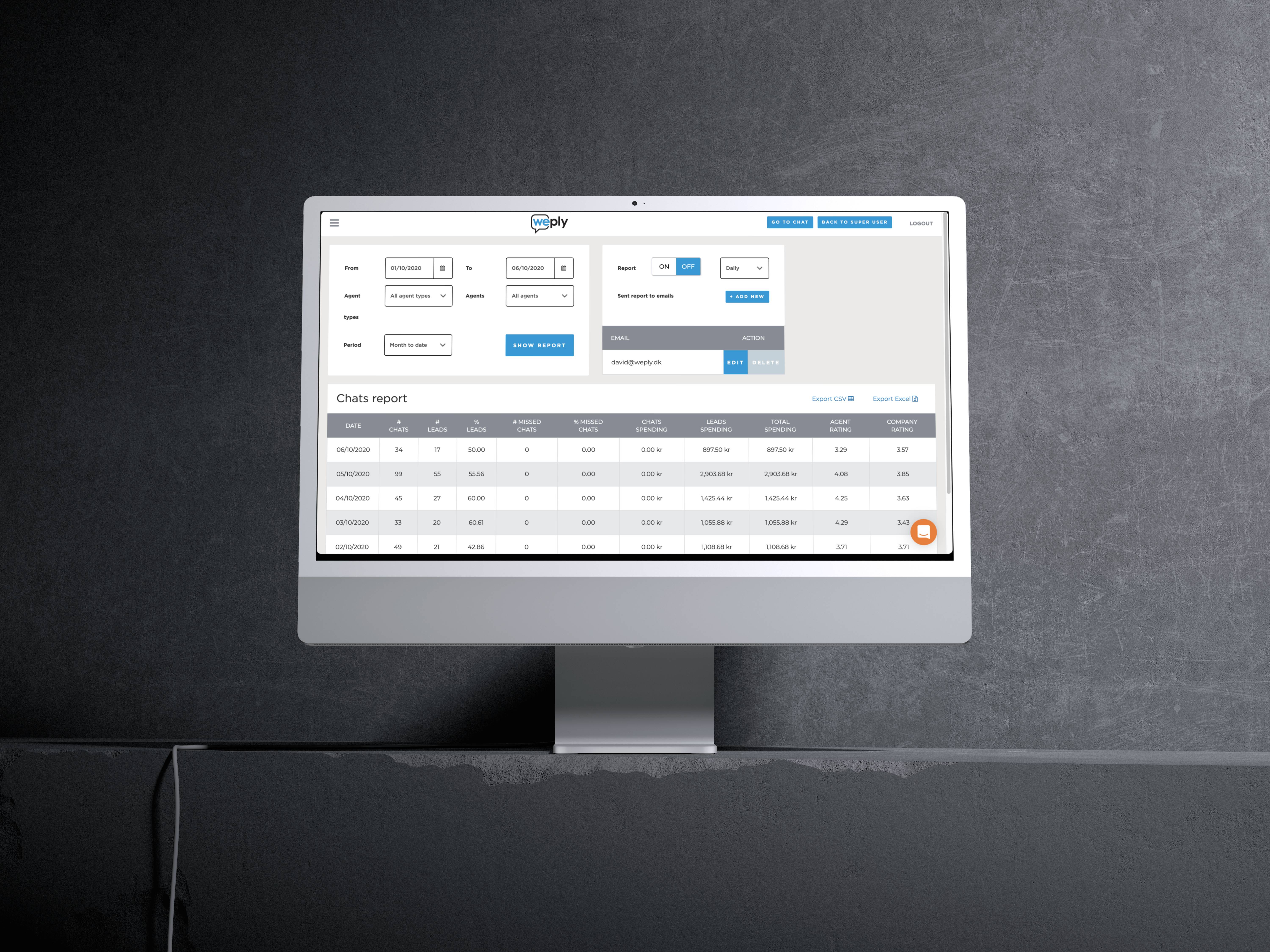
Redesign
Web
Product design
2021
ABOUT WEPLY
WePly allows businesses to be “always on” for their website visitors without having to staff a 24/7 in‑house team. The chat service handles questions, collects lead information, and passes qualified leads back to clients so they can focus on improving their products and services.
Because the client base is so diverse, from small local businesses to larger organisations, one generic dashboard was no longer enough. The redesign therefore focused on understanding the different types of clients using WePly and shaping the new experience around their specific needs instead of treating them as one group.
MY ROLE
As a UX Designer at WePly, the main responsibility was to deeply understand how clients use the dashboard today and what gets in their way. This included planning and running user interviews, analysing the findings, and translating the insights into a redesigned client dashboard.
The goal was to turn the dashboard into a clearer, more confident experience that works for both less tech‑savvy small business owners and data‑driven managers in larger companies. By combining user insights with practical design decisions, the new interface aims to be easier to learn, faster to use, and more supportive of everyday work.
USER RESEARCH
The research started with a simple question: how do clients actually use the WePly dashboard and how do they prefer to receive reports? Initial in‑depth interviews with two smaller clients revealed that they rarely logged into the dashboard and instead relied heavily on customer support to get their reports.
This was a turning point. To understand why support was doing so much “dashboard work” on behalf of clients, three customer support agents and the support manager were interviewed next. These talks showed that a significant group of customers found the dashboard hard to navigate and did not feel confident using it on their own.
From here, two main personas were defined:
An older small business owner with limited experience using complex software, focused on getting clear, simple answers about leads.
A manager at a larger company who oversees performance and cares about lead volume, quality, and conversion.
With these personas in place, interviews were expanded: four more sessions with each group were run to better understand their challenges and expectations. An experience map was then created to visualise their journeys, highlight key pain points, and spot where the dashboard was letting them down.
The redesign moved forward in parallel with the research, using the ongoing interviews as a feedback loop. This meant ideas were tested and refined quickly, keeping the work grounded in real client stories rather than assumptions or purely cosmetic changes.
STYLE GUIDE
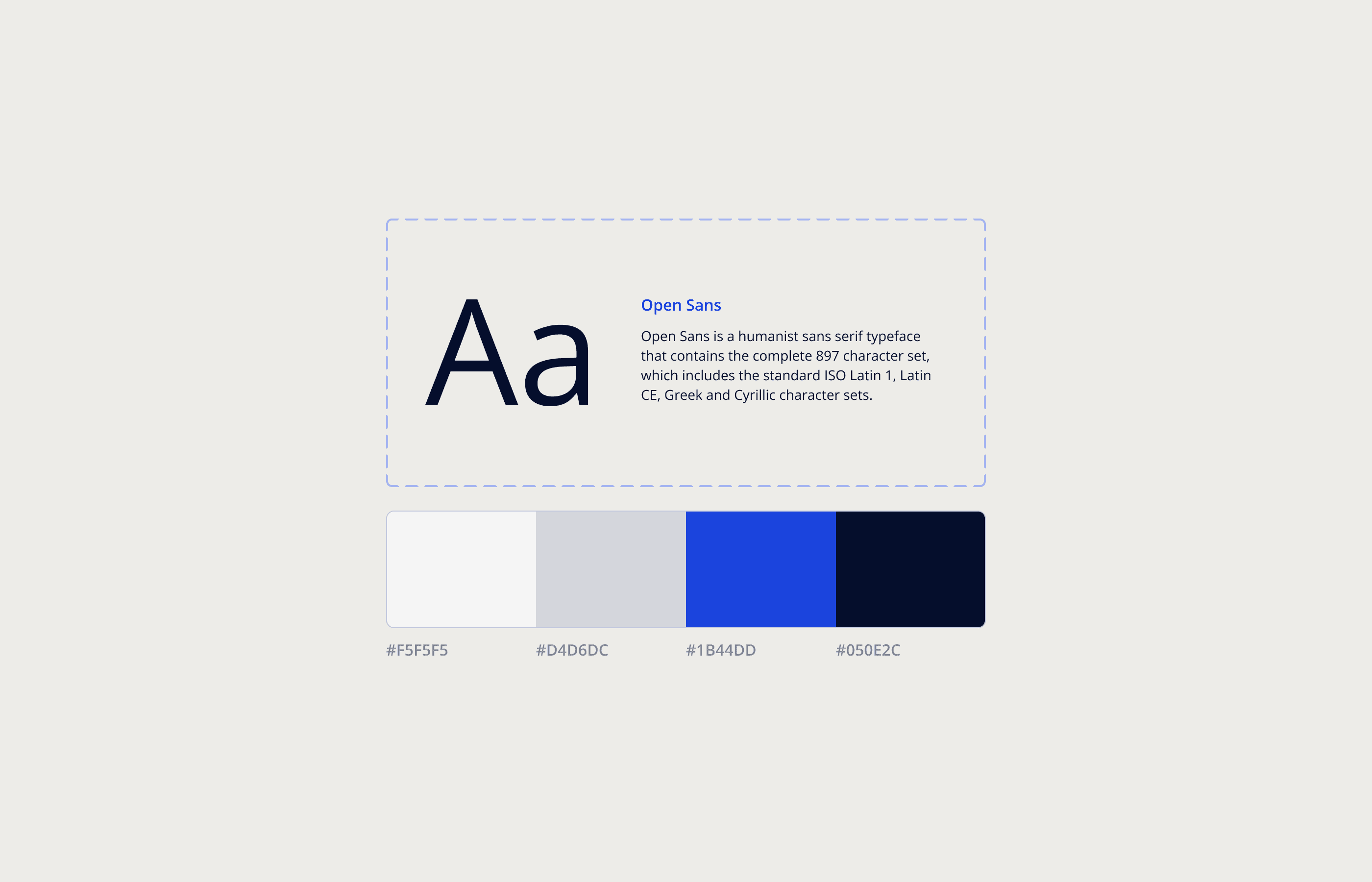
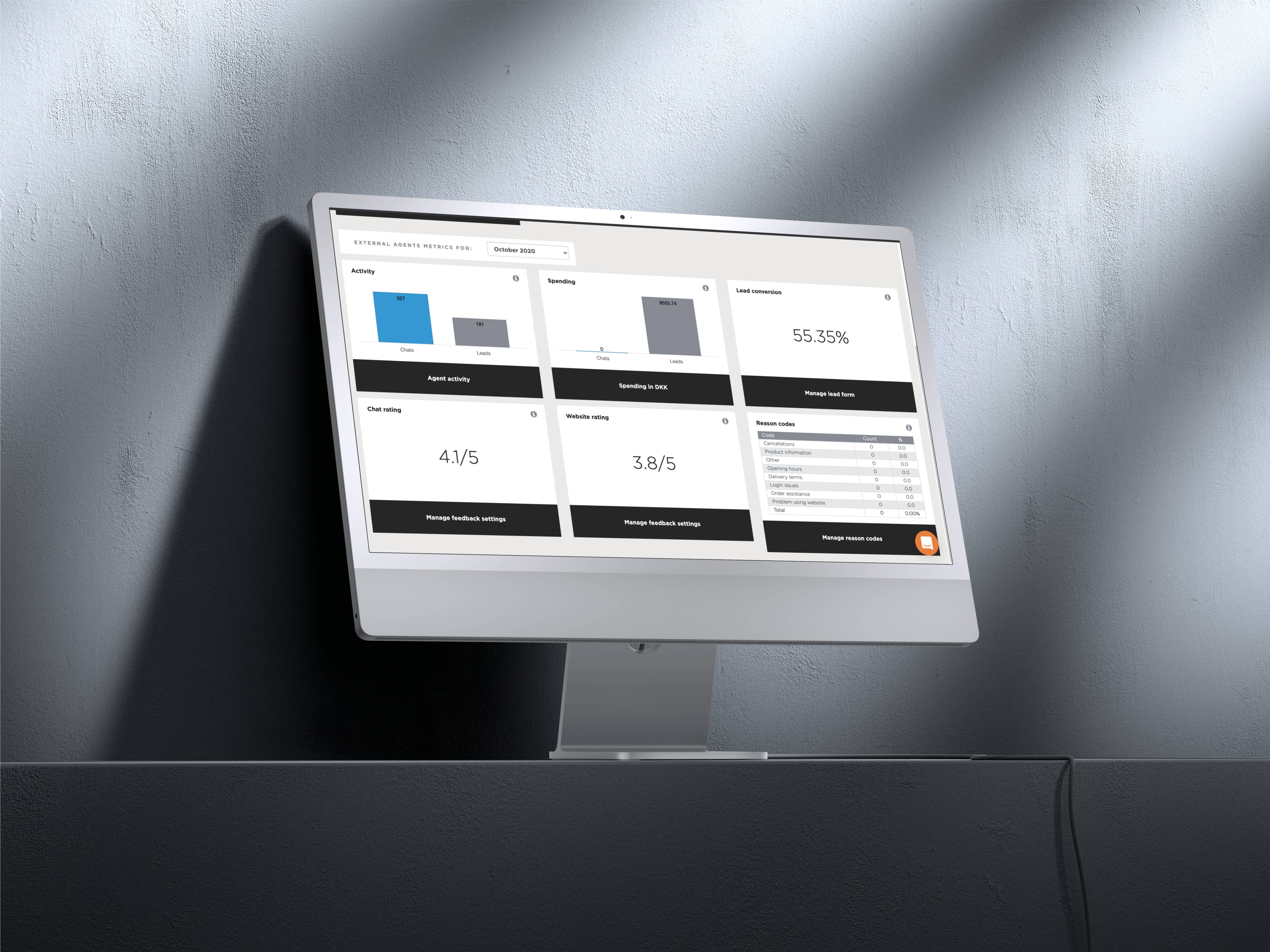
Redesigning the dashboard also meant cleaning up the visual foundation. The old interface used two different typefaces (Montserrat for headings and Open Sans for body text) and colours that did not meet basic contrast and accessibility standards.
To simplify and improve readability, the decision was made to move to a single typeface, Open Sans, across the product. At the same time, the colour palette was adjusted to create stronger contrast, better hierarchy, and a more consistent, accessible look and feel.
BEFORE & AFTER
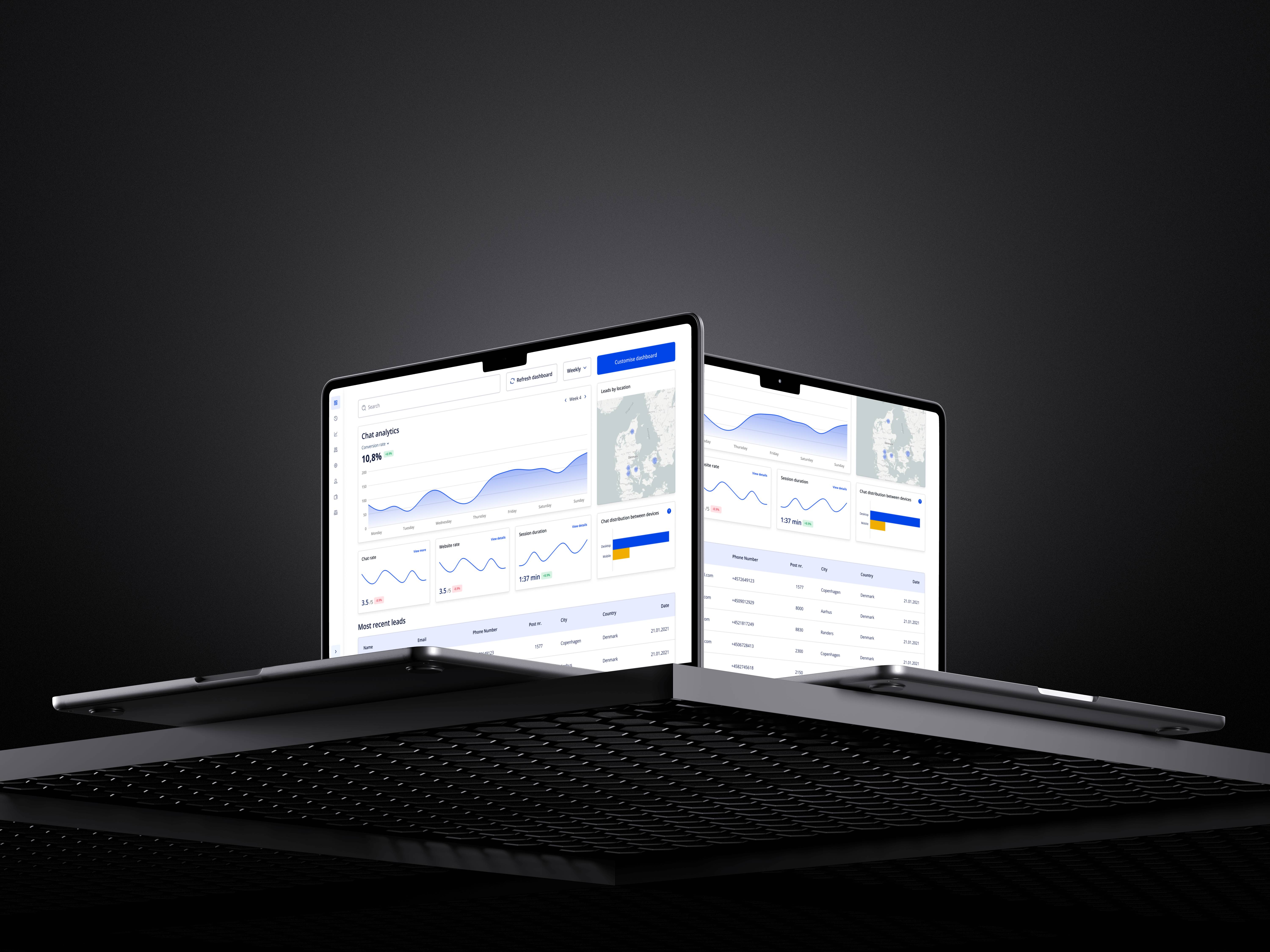
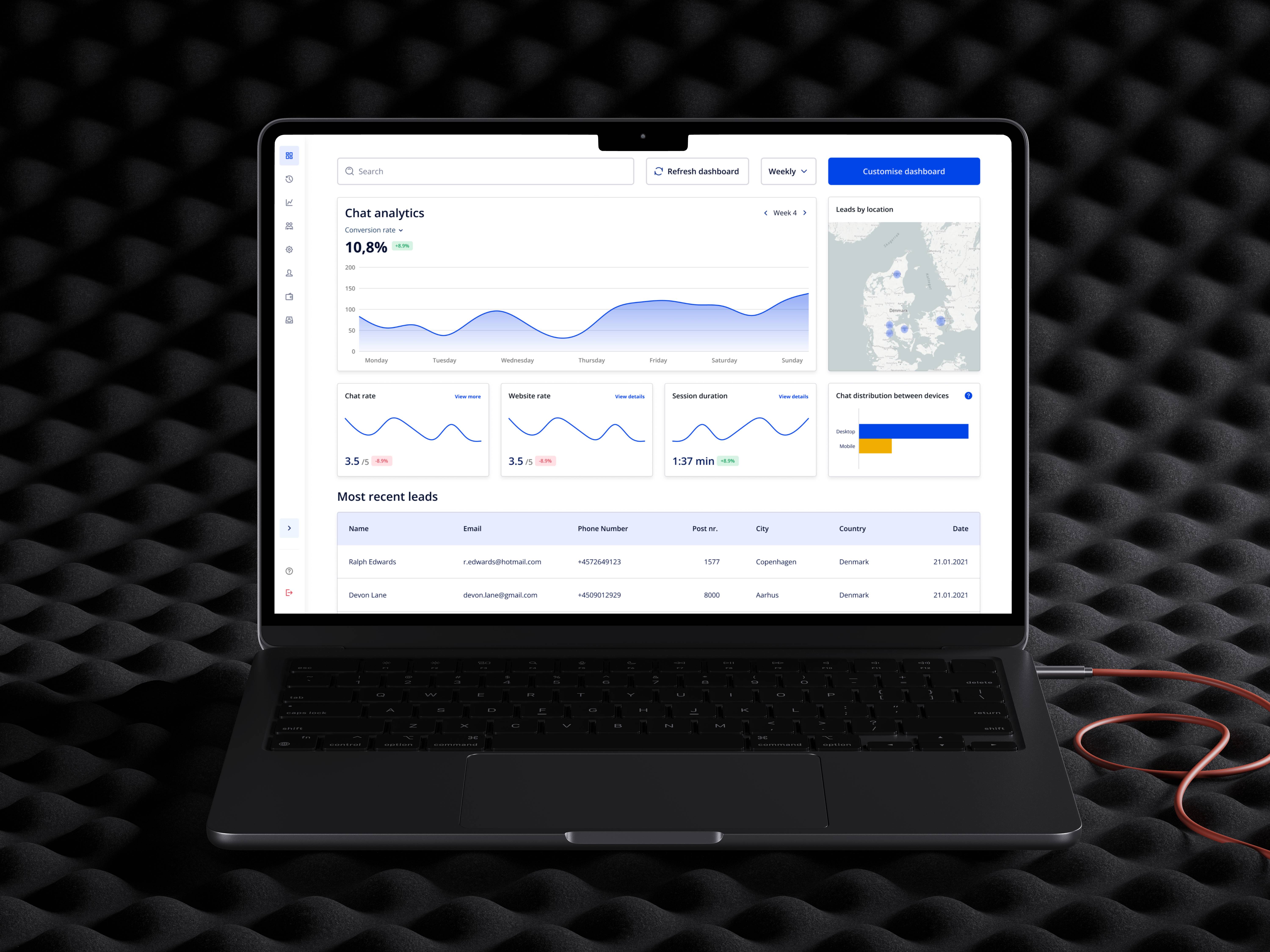
DASHBOARD
The project ran on a tight one‑month timeline, so the focus was on the most important screens in the dashboard. User interview insights and ideation sessions guided which areas to prioritise and how far to push change within the time frame.
By the end of the month, key dashboard views had been redesigned, making the most common tasks easier to find and complete. This created a strong base for further iterations and for future work on more advanced, role‑specific needs.
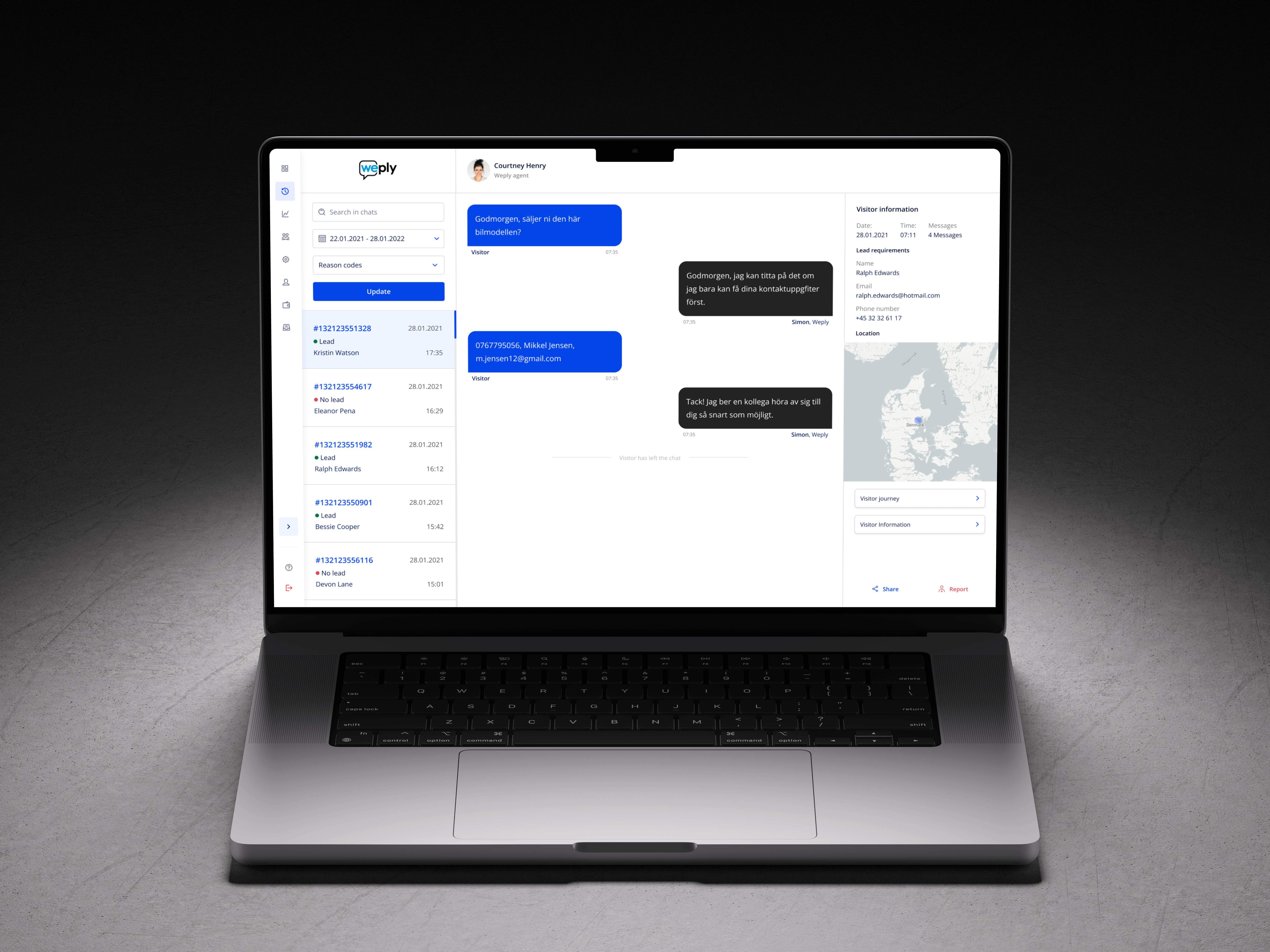
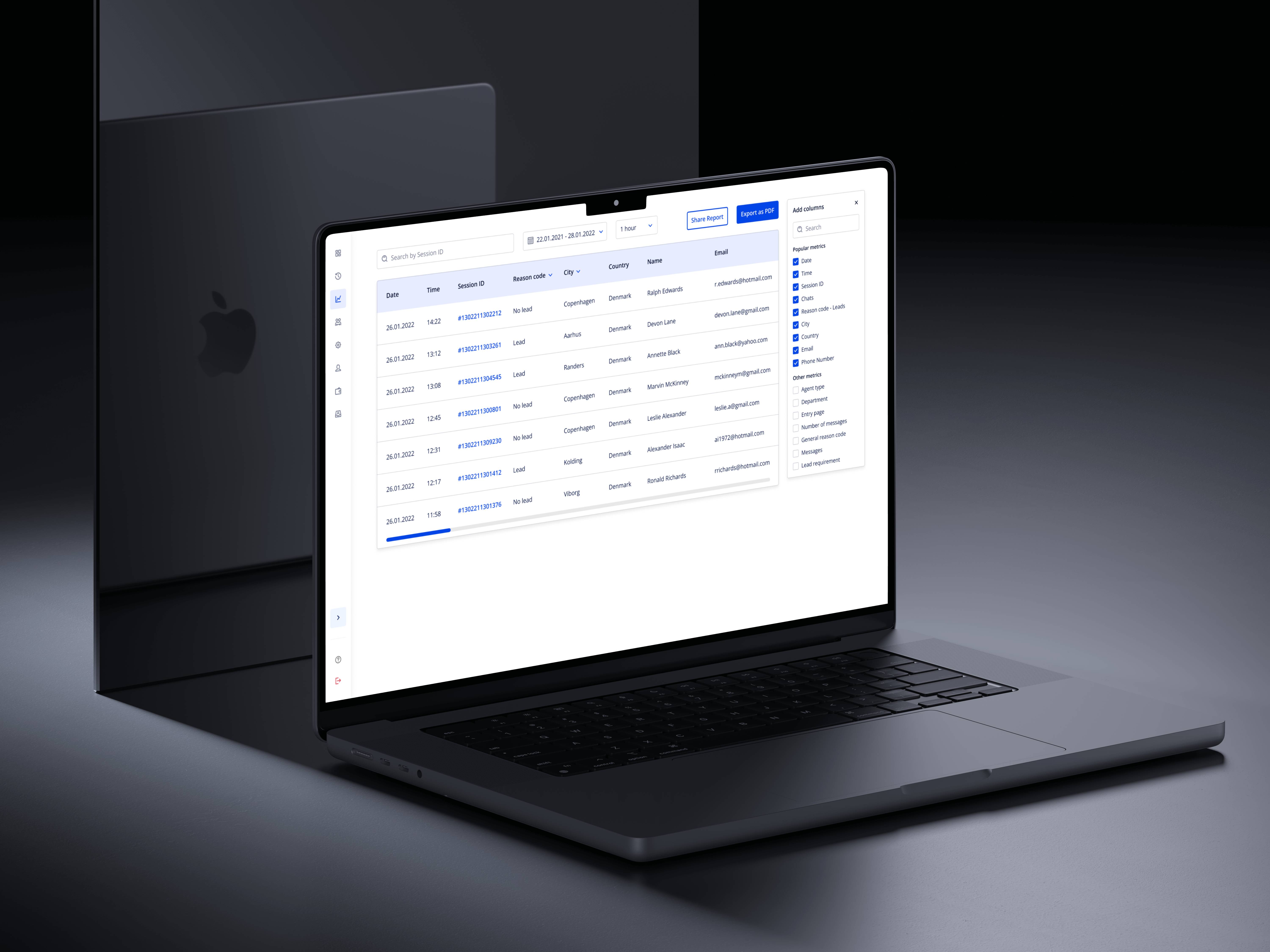
CHAT HISTORY
Chat History gives users a clear overview of completed chats in one place. They can filter by different criteria to find relevant conversations and focus on the leads that matter most at that moment.
Alongside chat details, the view also surfaces key information about website visitors, helping clients understand who is reaching out and where the best lead opportunities are coming from. This supports more targeted follow‑up and better lead conversion over time
CONCLUSION
Despite having only one month, the team successfully redesigned the main dashboard screens in a way that is grounded in real user needs. Dozens of conversations with clients and support staff revealed where people were struggling and what they really needed from the product, turning vague pain points into clear design priorities.
This research‑driven process has laid a strong foundation for the next version of the WePly interface. The project is now set on a path that is closely aligned with how different types of clients work, helping WePly serve both small businesses and larger organisations with a dashboard that feels clearer, more supportive, and easier to grow with.